
AI Portrait Guide
AI portraits have become one of the most popular trends among digital creators, bloggers, and designers. With just a simple text prompt, AI can generate portraits that look almost indistinguishable from professional photography – whether in classic black & white or vibrant colorful styles. If you’re looking to take your art to the next level, this AI Portrait Guide is exactly what you need. Here, we’ll share 5 best prompts that will help you create cinematic, creative, and truly stunning portraits.
Why AI Portraits Are Trending
AI portrait generation has revolutionized the way we think about photography and digital art. Creators no longer need expensive cameras or studio setups to achieve professional-quality portraits. From Instagram reels to YouTube thumbnails and blog visuals, AI portraits are everywhere because they’re unique, fast, and cost-effective. This rising demand makes a reliable AI Portrait Guide essential for anyone in the creative space.
5 Best AI Prompts for Portraits
1. Classic B&W Cinematic Portrait
Prompt: “A cinematic black and white portrait of a young woman, soft lighting, realistic skin texture, 4k resolution”
👉 Perfect for achieving a timeless, elegant photography style.
2. Vibrant Colourful Neon Portrait
Prompt: “A portrait of a man in glowing neon lights, vibrant colours, ultra-realistic, cinematic lighting, 8k”
👉 Best for social media creatives, digital posters, and eye-catching visuals.
3. Cinematic Film-Style Portrait
Prompt: “Moody cinematic portrait, dramatic shadows, film grain, professional photography look”
👉 Ideal for adding a dramatic, movie-like feel.
4. Fantasy / Creative Character Portrait
Prompt: “Portrait of a cyberpunk warrior with glowing tattoos, futuristic background, highly detailed”
👉 Great choice for gamers, storytellers, and fantasy content creators.
5. Professional Studio-Lighting Portrait
Prompt: “Ultra-realistic portrait with softbox lighting, sharp focus, studio background, 4k”
👉 Perfect for branding, professional profiles, and marketing creatives.
More Prompt check it – https://sahubrothers.com/nano-banana-trend-10-prompts-3d-figurines/
Try This Prompt
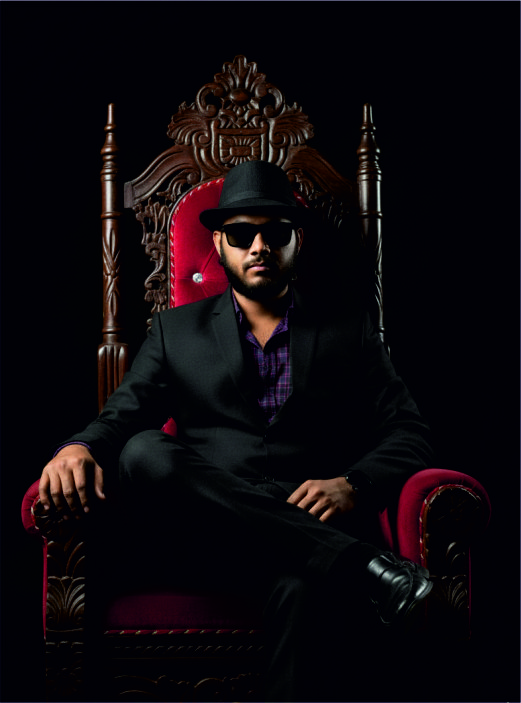
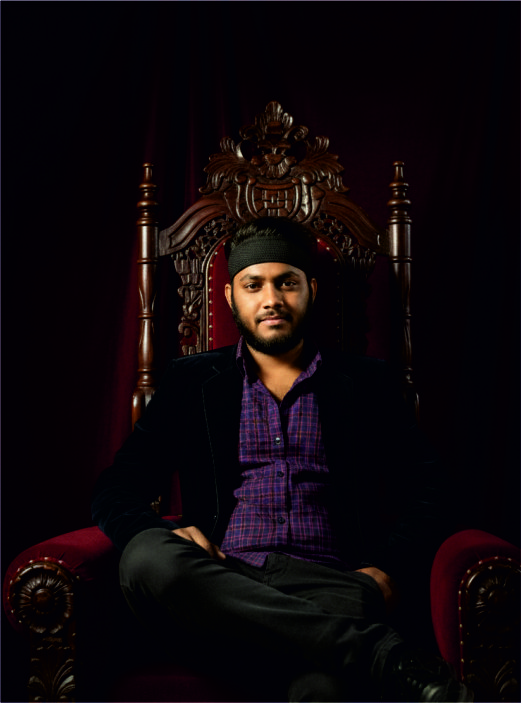
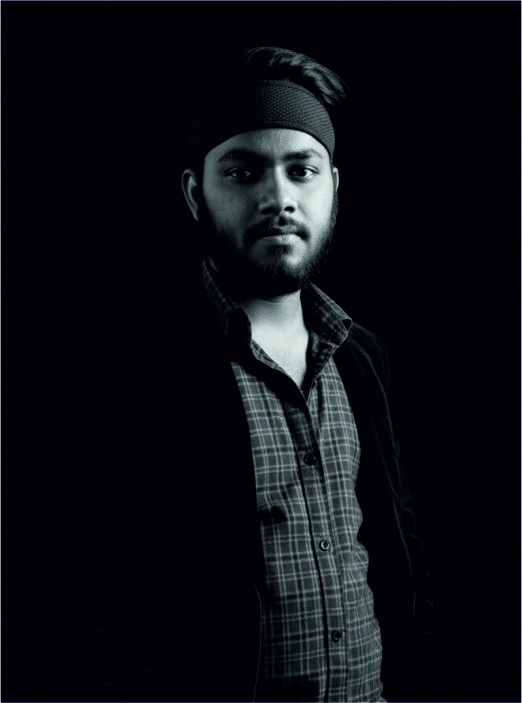
A cinematic, dramatic shadows background Black , sit on the king chair, Right leg over left knee, Change cloth back coat-paint, wear black goggles, wear mafia cap mafia look, soft natural lighting, high contrast shadows, ultra-realistic skin texture, sharp focus, 4k resolution, professional photography style
Tips for Writing Better AI Portrait Prompts
- Use strong descriptive adjectives: cinematic, ultra-realistic, moody, vibrant.
- Specify lighting: soft, dramatic, neon, studio.
- Add detail about the background and resolution: studio, futuristic, 4k, 8k.
- Define the style clearly: photography, painting, anime, fantasy.
Future of AI Portraits
The future of AI portrait generation goes far beyond static images. With the integration of AR and VR, creators will soon be able to experience their AI-generated avatars in immersive 3D spaces. Businesses and brands are also beginning to adopt AI portraits for advertising, marketing, and digital storytelling. This AI Portrait Guide is just the beginning of how AI will continue to shape the creative world.
Conclusion
AI portrait generation marks a new era of creativity. With just one prompt, you can turn your imagination into breathtaking images – whether that’s a classic black & white portrait or a neon-coloured masterpiece. Try these 5 best prompts and see how your creative journey evolves. Don’t forget to share your favourite AI portrait style in the comments!
You May also Like
FAQ.
Q1. What is an AI Portrait Guide?
An AI Portrait Guide is a step-by-step resource that explains how to create stunning portraits using AI image generators with the help of text prompts.
Q2. Which AI tools are best for generating portraits?
Popular tools include MidJourney, DALL·E 3, Stable Diffusion, Adobe Firefly, and Leonardo AI. Each offers different styles, resolutions, and pricing models.
Q3. How do I write a good AI portrait prompt?
Always be specific. Mention lighting (soft, neon, dramatic), style (cinematic, realistic, fantasy), and resolution (4k, 8k). The more details you add, the better the result.
Q4. Can I use AI portraits for commercial purposes?
Yes, but it depends on the tool. For example, Adobe Firefly allows commercial use, while some free tools may have restrictions. Always check the licensing policy.
Q5. Are AI portraits free to create?
Some tools like Stable Diffusion have free versions, but high-quality generators like MidJourney and Firefly often require a subscription.
Q6. What are the benefits of AI portraits?
- Cost-effective compared to studio photography
- Highly customizable styles
- Quick results in minutes
- Perfect for social media, blogs, marketing, and creative projects
Q7. Can I generate both black & white and colourful portraits with AI?
Absolutely! Just modify the prompt. For example:
- Black & White: “Cinematic black and white portrait…”
- Colourful: “Vibrant neon portrait with glowing lights…”